Team Members
This page covers how to manage team members and permissions.
A user can be a member of multiple teams, but they can only belong to one subteam per team. For example, a user can be on both a Robotics Project Team and the Sponsorship Corporate Team, but cannot be on both the Leadership and Engineering subteams of the Robotics Project.
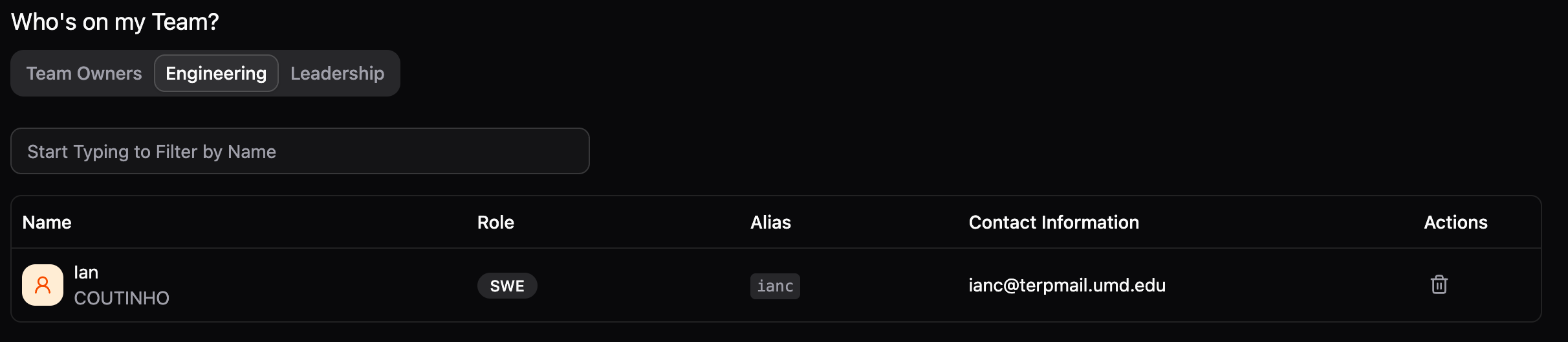
Managing who can access your Project Team is done through the Who's on my Team? tab on your Team Dashboard. The members are sorted by subteam.
Adding New Members
There are three primary ways to add people to your Project Team.
Adding Existing Members
If the person is already a member of App Dev (they have a People Portal account):
- Go to your team's Dashboard.
- Click Add Member at the top right.
- Search for their name or email.
- Assign them a Subteam and a Role.
Hiring through Recruitment
The most common way to add new members is through the recruitment process.
Inviting External Members
By directly adding a member, you're bypassing App Dev's standard recruitment procedures. Please use this feature only if you are entirely sure that this person would be a great fit for the team and that they would align with App Dev's culture and standards.
If you need to add someone brand new to App Dev without them going through a public application:
- Click Add Member on your team's dashboard and select the Invite Member tab.
- Enter their name and their @terpmail.umd.edu email address.
- Select their initial Subteam and Role.
- They will receive an email with a unique link to join the organization and your team.
Removing Members
To remove a member from a team:
- Go to the Team Dashboard and look at the "Who's on my Team" section.
- Find the user in list and click the Trash icon.