Evaluating Applications
The People Portal provides a set of tools to help you review, track, and manage candidates throughout the hiring lifecycle.
The Kanban Board
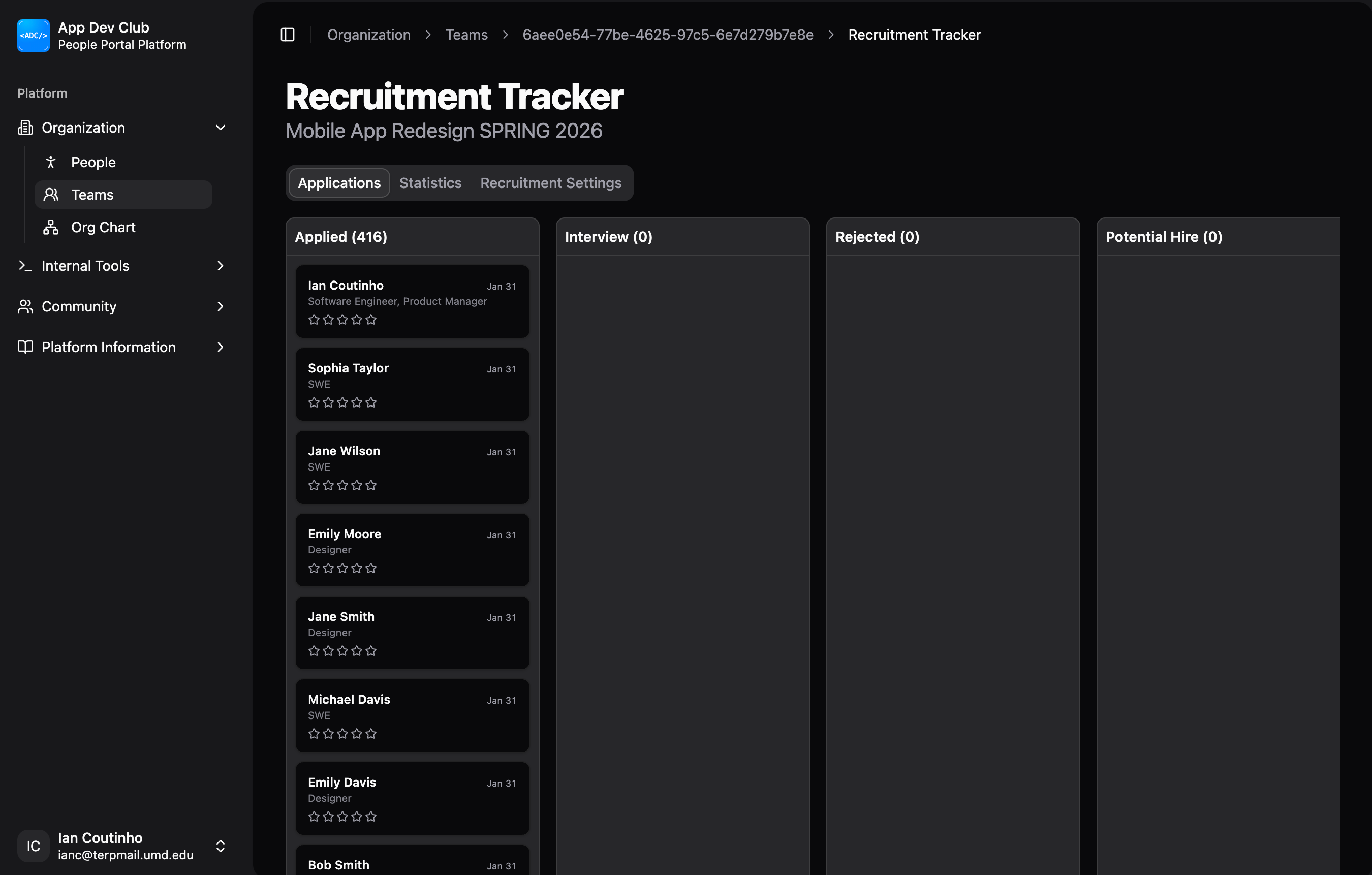
The Applications tab features a Kanban board for visual candidate management. Applications move through the following stages:
- Applied: New applications land here.
- Interview: Candidates selected for an interview.
- Potential Hire: Strong candidates being considered for an offer.
- Hired: Finalized team members.
- Rejected: Candidates who were not selected.
Moving Candidates
- Drag & Drop: Simply drag a candidate card from one column to another to update their stage.
- Stage Rules: The system enforces logical transitions to ensure process integrity (e.g., typically you can't move someone directly from "Applied" to "Hired" without an interview step).
Notifications
When you change a candidate's stage, they will receive an automated email notification (e.g., inviting them to an interview, sending an onboarding link, or a rejection notice).
Reviewing Candidates
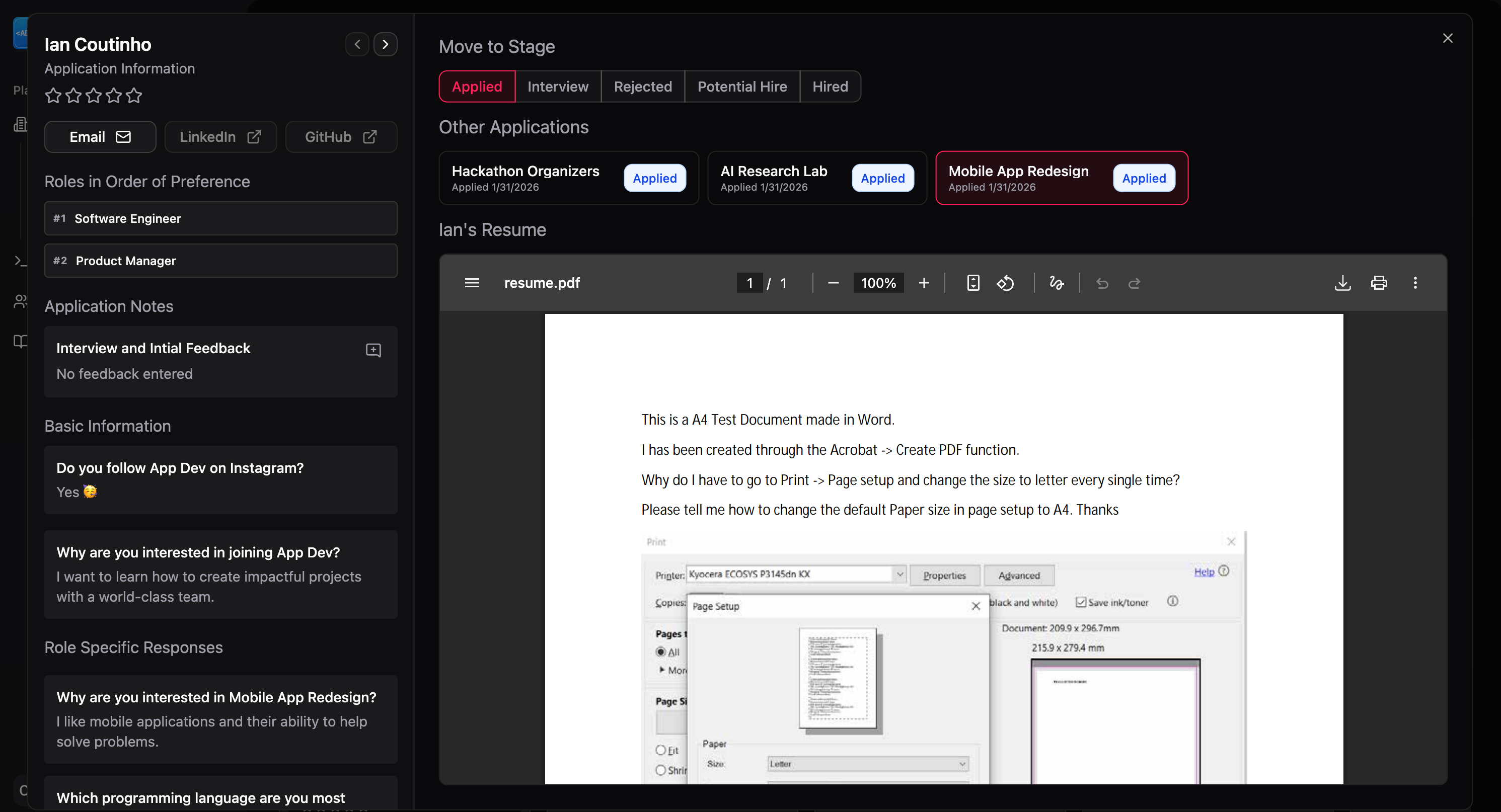
Click on any candidate card to open the Application Details modal.
Application Info
- Profile & Resume: View their contact info, external links, and view their resume.
- Responses: Read their answers to general and role-specific questions.
- Role Preferences: See which roles they ranked highest if they applied for multiple positions.
Feedback & Ratings
- Star Rating: Rate candidates on a 5-star scale. This is visible to anyone who has access to the recruiting page.
- Notes: Add internal notes or interview feedback.
- Notes support markdown formatting.
- Each note is automatically stamped with the author's name and a timestamp. Notes are accessible to anyone who has access to the recruiting page for that team.
Changing Stages
Moving an applicant through the pipeline is done using the stage buttons at the top of the application modal or by dragging their card to different columns in the Kanban.
- Interviewing: You must interview a candidate before moving them to the Hired stage. When scheduling an interview:
- Provide the candidate with a Google Calendar link for scheduling. See how to do so here.
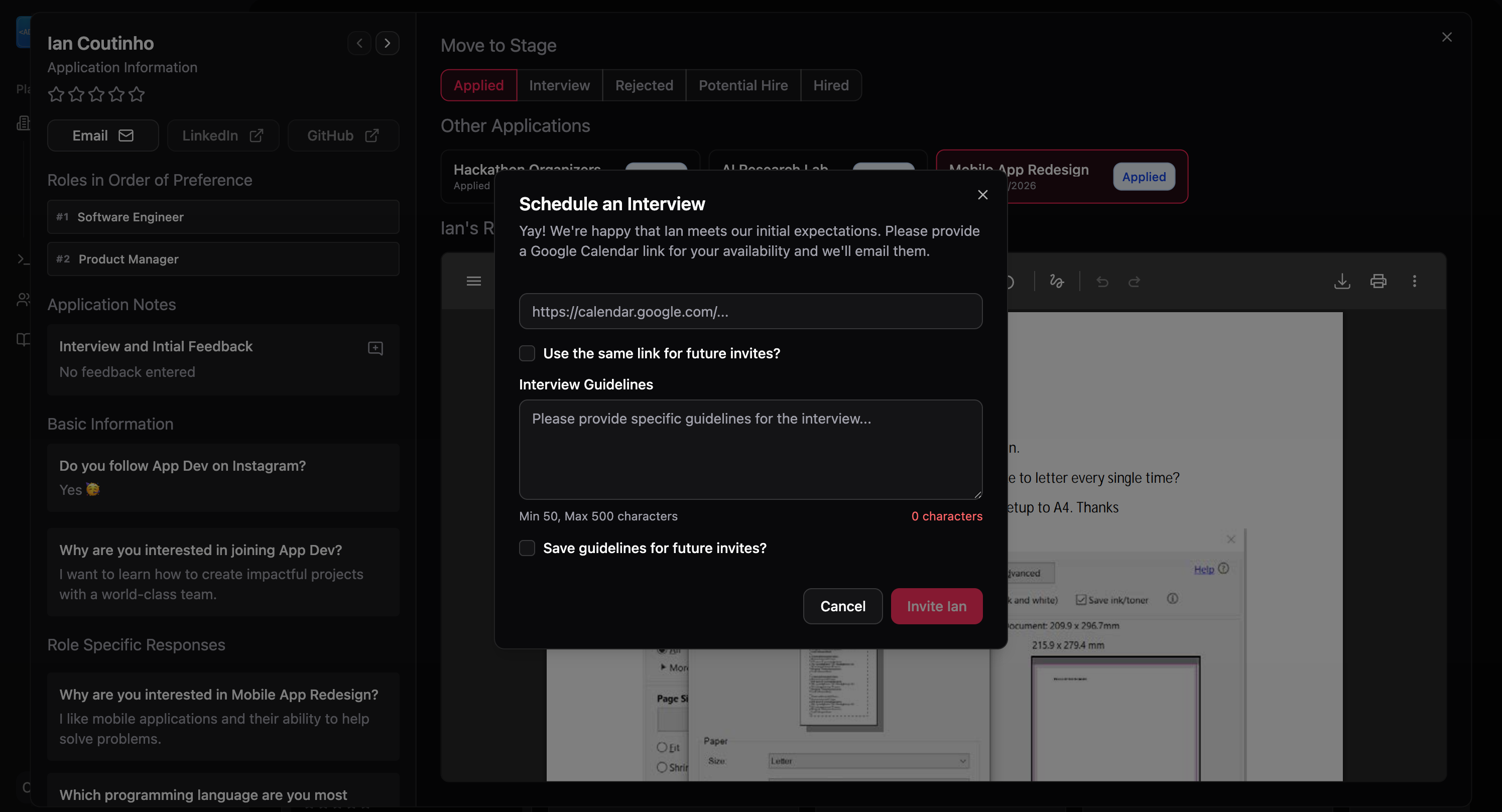
- Send them Interview Guidelines (see below).
- Hiring: To move a candidate to the Hired stage, you must select the specific role they are being hired for from the dropdown menu.
Interview Guidelines
To ensure a consistent and high-quality interview process, please provide the candidate some guidelines. Some examples include having VSCode installed/set up, preferring TypeScript for the interview questions, etc.
Recruitment Statistics
TODO insert screenshot of completed page
The Statistics tab provides insights into your hiring funnel. It shows the number of applicants at each stage and breakdowns per role, helping you identify:
- Which roles receive the most interest.
- Where candidates are dropping off in the pipeline.
- Overall volume of applications to manage.